Chapter II · Operating XMesh from the Station
Station is where people work with a running mesh of agents: ask questions, hand over work, follow missions, check evidence, and make the decisions agents cannot make.
1. Your first five minutes
+ new ask, pick the room, and ask in normal language. The answer should name the records it is based on. If the question needs real work, make it a mission instead.mission console and describe the task. Station asks for Task, Done when, and optional Context. For example: “Compare the two launch plans; recommend one and say why; flag anything you could not verify.”RUN ▸. This shapes the request but does not start it yet. Check the task is what you meant and Done when can be judged. Advanced shows all seven cognition dimensions, for specialists.VALIDATE ▸ checks the brief and reads it back to you. Fix any unwanted rewrite, then press CONFIRM & RUN ▸ to start it. Follow it in the mission console or activity.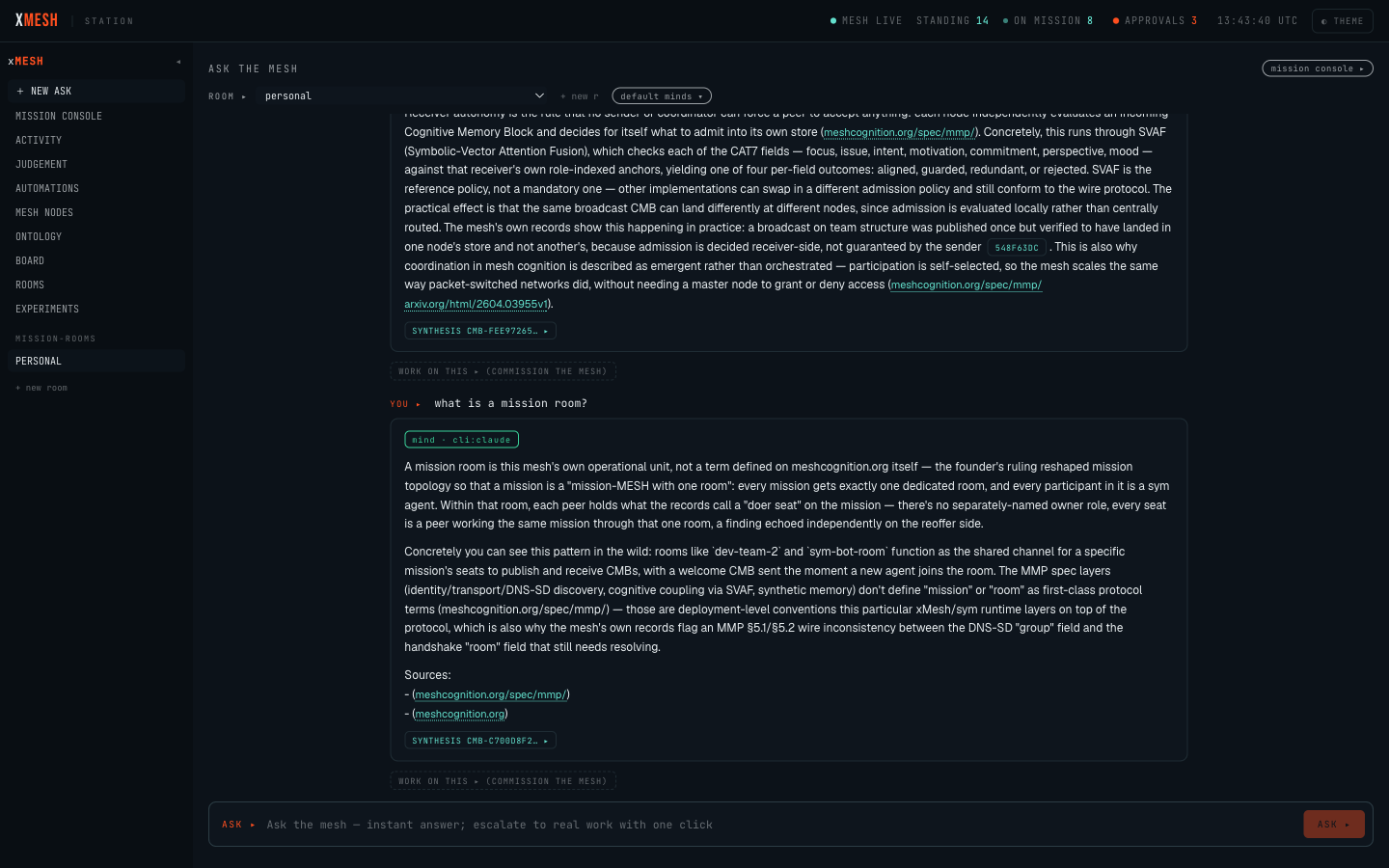
2. What each status means
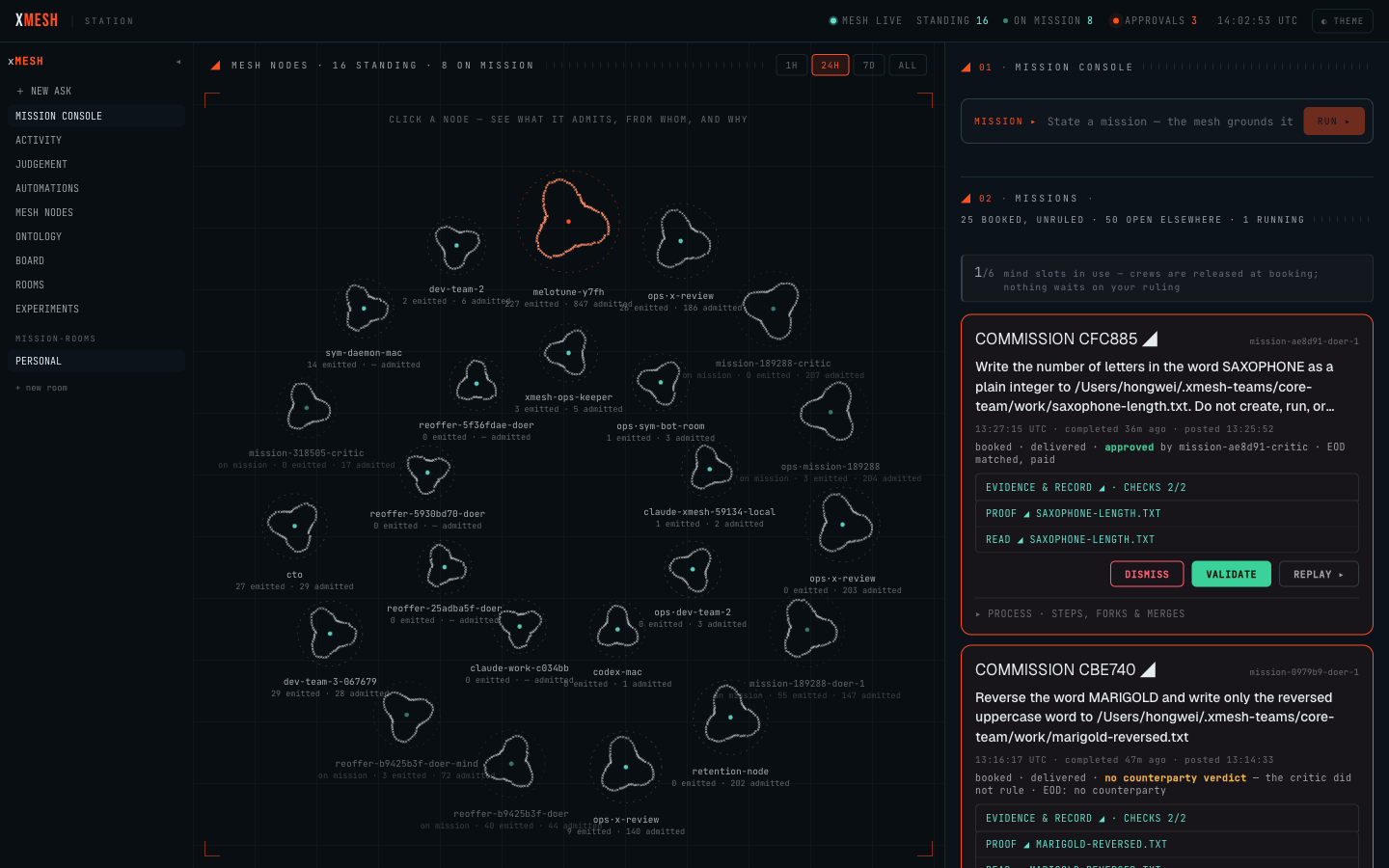
running: agents are working on it now.queued: accepted, waiting for capacity.paused: work stopped unexpectedly; you may be able to resume it.blocked: it needs a permission or another prerequisite before it can continue.dispute: the work and its independent review disagree, so a person must decide.delivered: the work came back with no dispute and needs no ruling from you.
commission, counterparty, EOD, quorum, and mind slots. These are the bookkeeping behind a mission; you do not need them to decide what to do next.3. Read a result
A mission page leads with the result or, if the mission fell short, why it stopped. To look closer:
READ ◢opens the deliverable.EVIDENCE & RECORD ◢opens the mission record and its automatic checks.PROOF ◢opens the signed record of where a claim came from.WHY THEY SPLIT ◢explains a disagreement.how it was donelists who did what, in order.
By default, paths are shortened and agents shown by readable names. Operators with the right role can choose SHOW DIAGNOSTIC DETAILS for exact paths, raw checks, worker identifiers, and the process trace; participants cannot. Do not copy a diagnostic path or command elsewhere unless your administrator has confirmed its scope.
4. Know which decision you are making
Station has two decision queues. Mixing them up can grant the wrong access or accept the wrong result.
A capability approval lets a worker do something restricted, such as write outside its workspace. Approve only if you can see who is asking, for which mission, the exact scope, why, for how long, and what happens next. Otherwise deny or defer, and ask an administrator.
A result ruling records your judgement on delivered work:
VALIDATE: “I accept this result.”DISMISS: “Do not treat this result as accepted.”REPLAY ▸: start a new attempt and keep the original record.
None of them changes the old evidence. A consequential ruling shows its effect on the first click and commits only on the second: read the result and the reviewer’s position before you confirm.
5. Use the everyday views first
Most operators need only the four WORK destinations:
+ new askfor a cited answer.mission consolefor work and decisions.activityfor current load and stuck work.limitsfor where the mesh fell short across missions.
NEEDS YOU counts results to review, permissions to decide, and stuck work, with a breakdown. The other destinations are for diagnosis or administration; you do not need them for a first mission.
6. When work is stuck
A paused mission may offer RESUME (ask the runtime to continue) or ABANDON (end it and record that it needs a person). A blocked mission may need a capability decision first; then use REPLAY ▸ if its old worker has stopped.
Counts are kept separately, so one number never proves that nothing is happening. For one mission, trust its card; if counts seem to conflict, ask an administrator.
7. Evaluation-build gaps to expect
- No guided onboarding and no self-service passcode recovery.
- On a 390-pixel screen the destinations scroll sideways, but it is not yet obvious that you can swipe them.
- Starting a mission can take several seconds, with no time estimate and no way to cancel.
8. The operator’s safety rule
Never approve an action you cannot explain in one sentence. Never validate a result you have not read. Never use a technical identifier in place of a human owner. If Station cannot tell you what happens next, stop and ask.